CreatorInbox guide
Updated November 5, 2026How to set up CreatorInbox and use it day to day, with screenshots from the app. New here? Start with the first topic.
- Start hereGet startedCreate your bot, turn on Secretary Mode, add it to Telegram, send a test message.
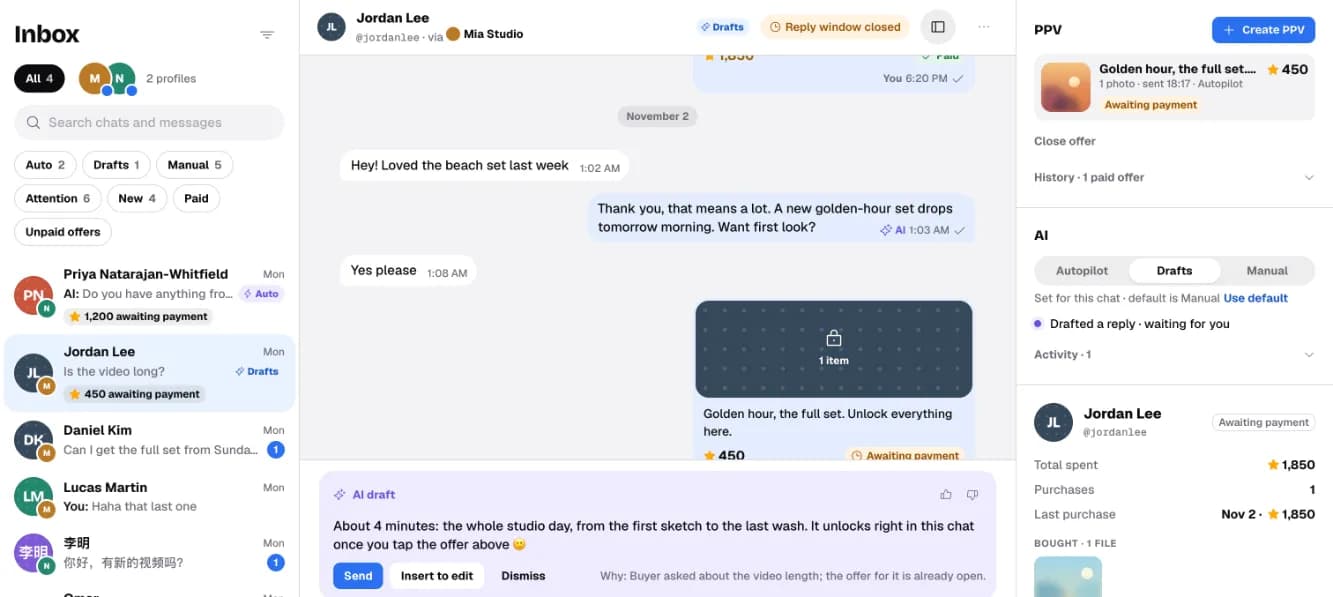
- Topic 2Inbox and profilesProfiles, filters, AI mode per chat, and what the badges mean.
- Topic 3Sell files and paid offersUpload to your library, set prices, send an offer, see what the buyer sees.
- Topic 4The AI agentDrafts and Autopilot, your voice, the Test drive and the checkup.
- Topic 5Sales and getting paidStars on your bot, withdrawing through Fragment, refunds, CSV export.
- Topic 6Plans and billingStart, Pro and Studio, fees, AI messages and packs.
- Topic 7Fix common problemsSecretary Mode, can’t reply, reply window, AI errors.
Setup in short
- In @BotFather, send
/newbotand copy the token. - In @BotFather:
/mybots→ your bot → Bot Settings → Secretary Mode → Turn on. - Paste the token in the app’s Setup guide.
- In Telegram: Settings → Chat Automation (older versions: Telegram Business → Chatbots), add the bot, choose All 1-to-1 chats and turn on Reply to messages.
- Send your profile a message from another account and reply from the app.
No Telegram Premium needed. Details and screenshots: Get started.
Questions the guide doesn’t answer? Write to support@creator-inbox.com.