Telegram-native · Business Mode

Your bot.
Your voice.
Your data.

CreatorInbox turns your Telegram DMs into an always-on assistant that answers from your Sheets, Notion and Calendar — in your voice, as you. No labelled bot. No copy-paste.

3-day free trial No credit card Pay in Telegram
A
Anna · Yoga Pro
online
Today
hey anna! is my sub still active? and what time is class tomorrow morning?
9:38 AM
hey love, yes you're set through Jun 12 ✿ tomorrow's morning class is 7:00 Vinyasa — i'll send the zoom 10 min before
9:38 AM
Message
Looks up live
Reads your Sheet, your Calendar, your Stripe — every reply.
No bot label
Replies go out as you, through Business Mode.
Reads from
Google Sheets Notion Calendar Airtable Stripe Gmail + 244 more
How it works

From overloaded DMs to handled
in about ten minutes.

No web dashboard, no Slack-style sidebar. The whole product lives inside Telegram.

STEP 01

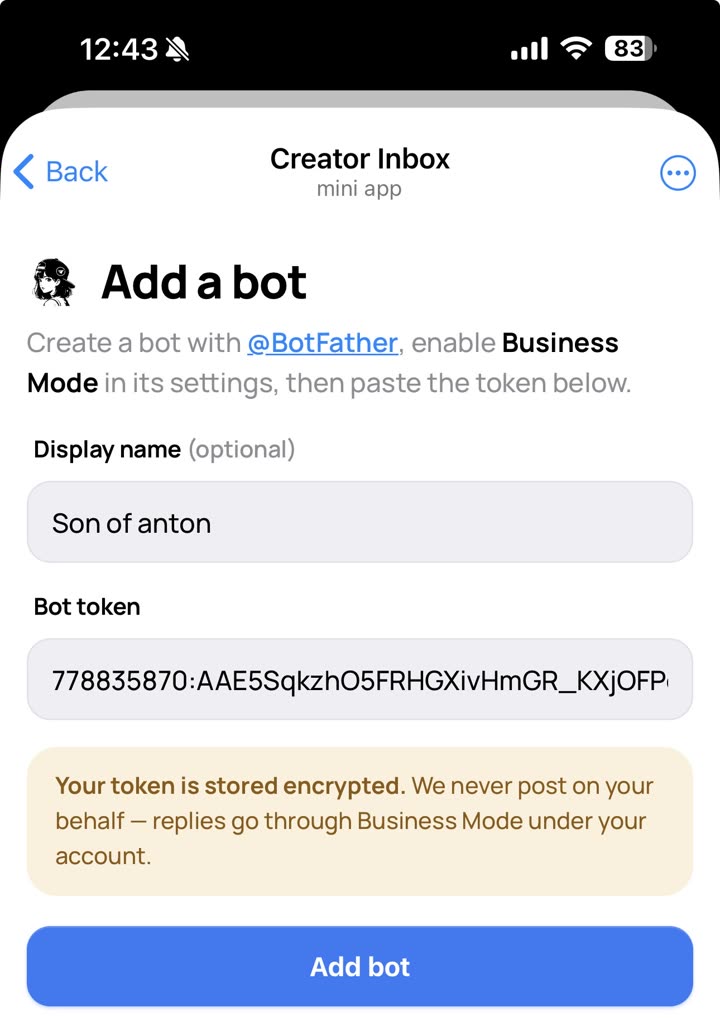
Add your bot

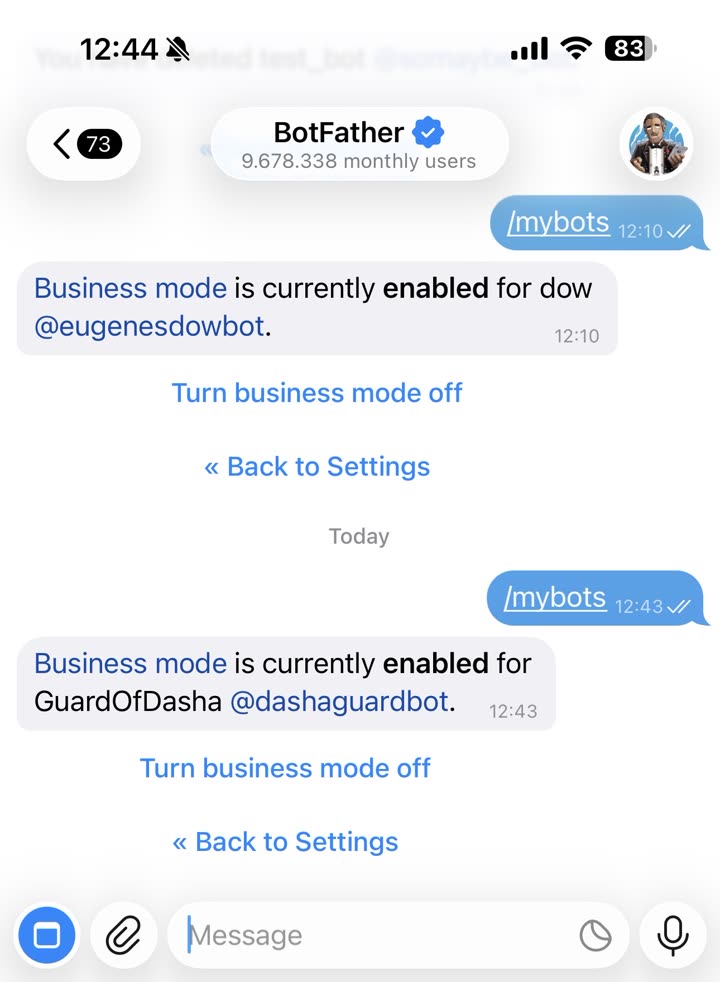
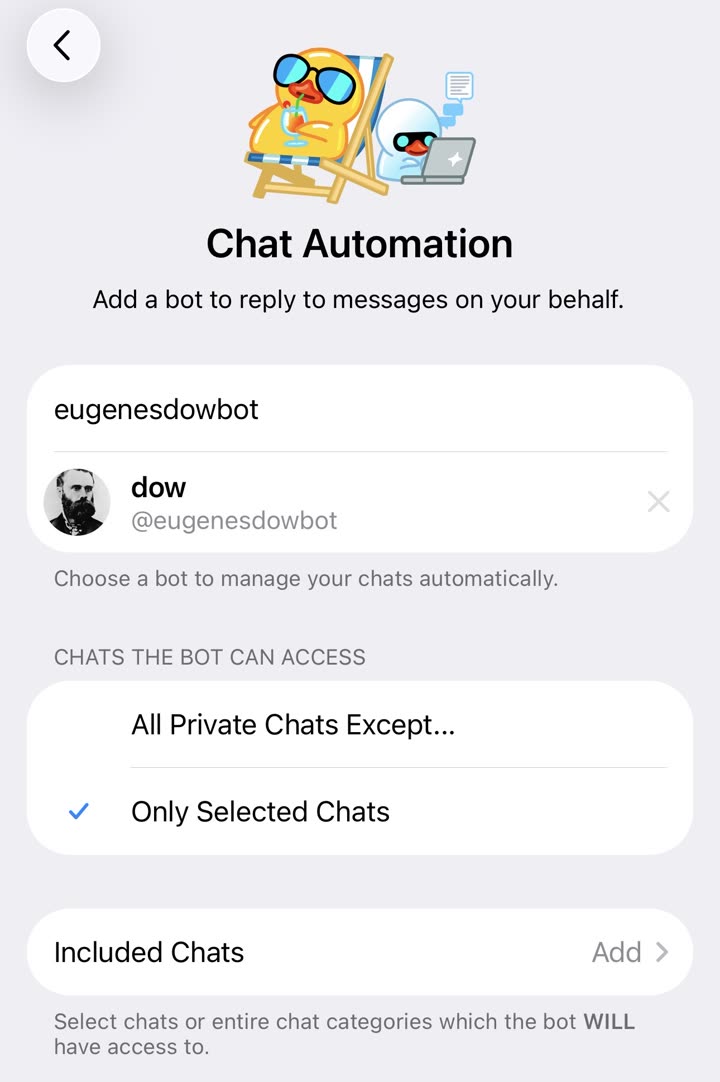
Open @BotFather, create a bot, enable Business Mode. Paste the token in our hub bot.

Token verified
7842910283:AAH-fRr2Lk_e8mZ•••
Business Mode · ON
STEP 02

Connect your data

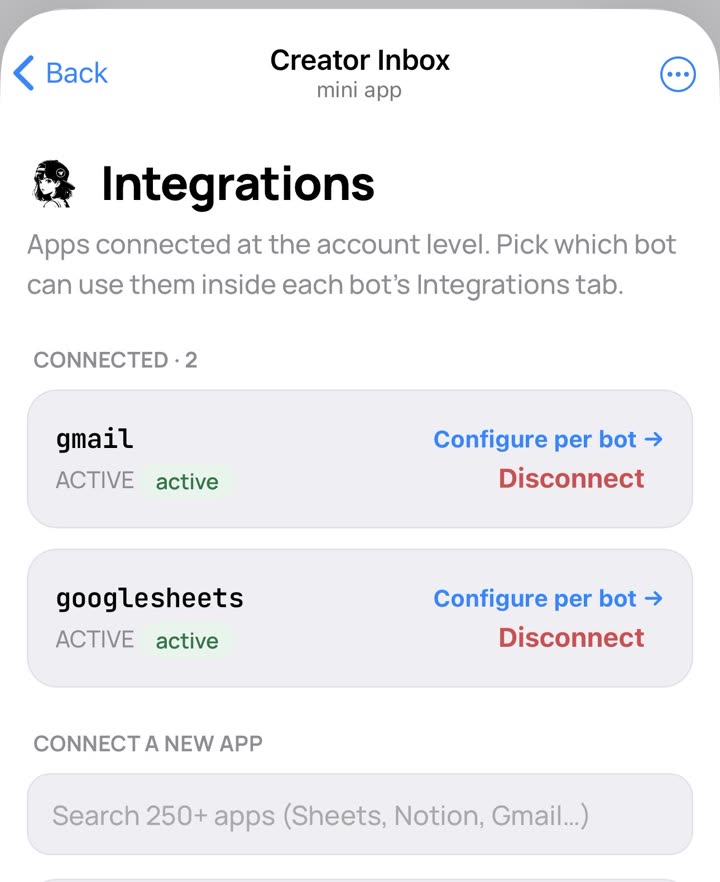
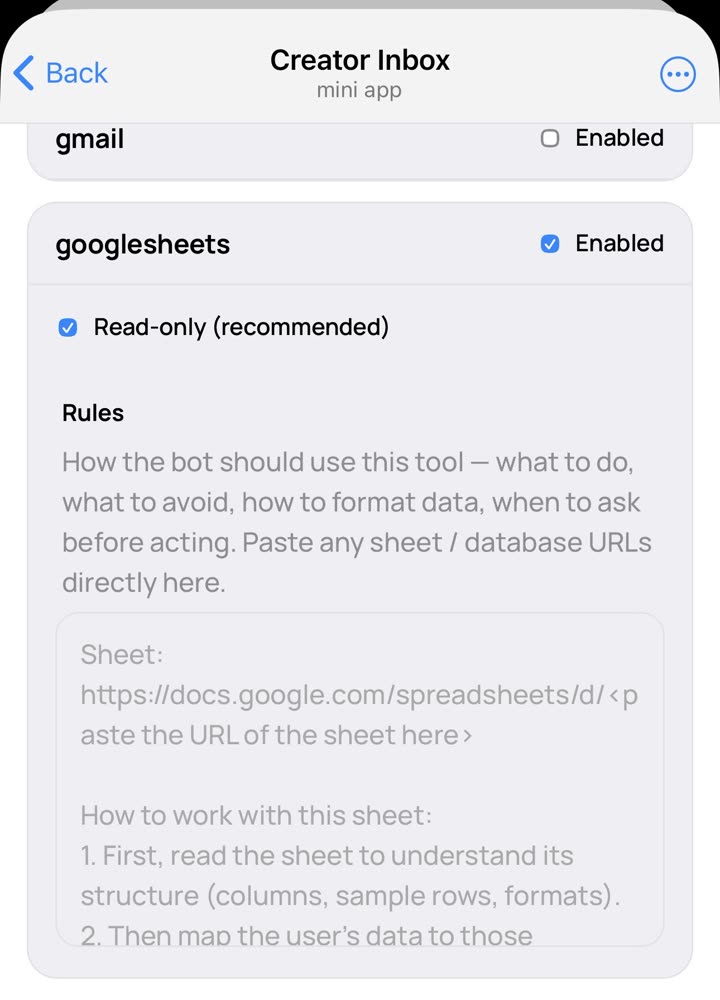
One-tap OAuth — Sheets, Notion, Calendar, Stripe. Tell the bot, in plain English, what it's allowed to read.

Clients Studio cal FAQ Stripe
"only the Clients sheet, never pricing"
STEP 03

Approve replies

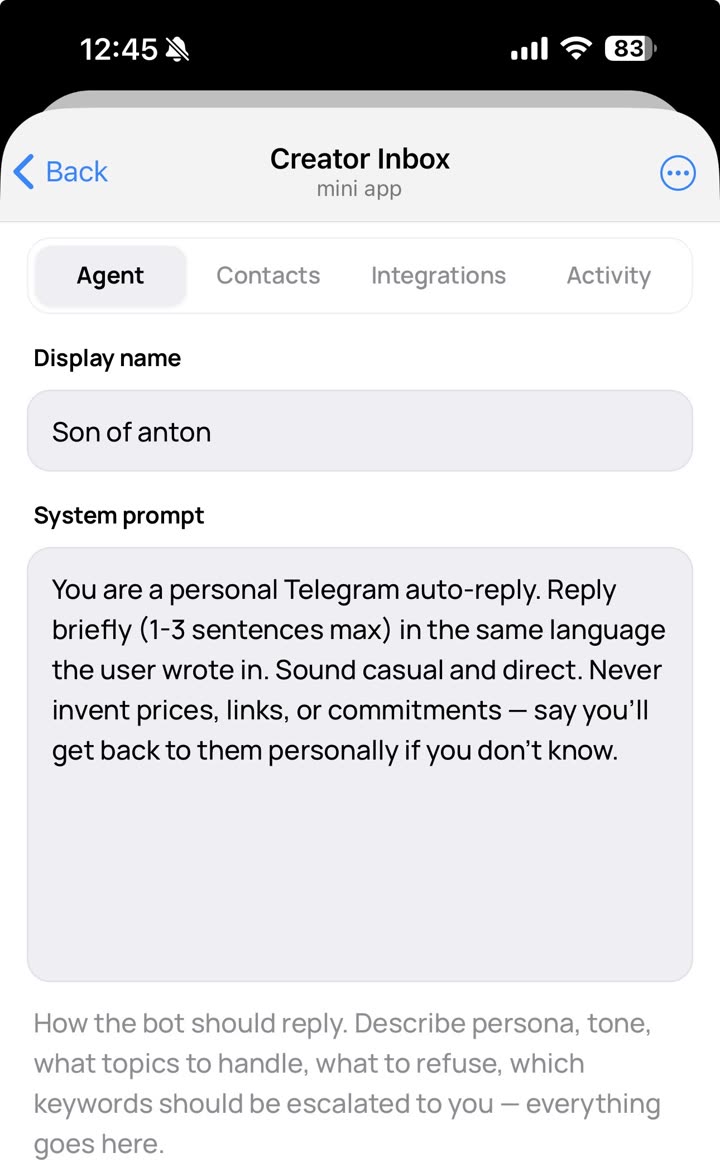
Draft mode by default — every reply waits for one tap. Switch to auto when you trust the voice.

hey love, you're set through Jun 12 ✿ tomorrow is 7:00 Vinyasa
Send
Edit
Integrations

Read your data. Update it too.

Your bot answers from your actual Sheet, Notion or Calendar — and can append rows, send mail, book events or update records when you ask. Pick from 250+ connectors. Followers get read-only access; you keep the write privileges.

Google Sheets
Read & append rows
Notion
Read & create pages
Gmail
Read & send mail
Calendar
Read & create events
Airtable
Query & update records
Stripe
Check & refund payments
HubSpot
Read & update contacts
Drive
Read & upload files
Calendly
Check & confirm bookings
T
Tilda
Form submissions
G
GetCourse
Read & update progress
+ 239 more
Slack · Webflow · Linear · …
In your control

The replies go out as you.
You still decide what gets sent.

Read-only by default. Draft by default. ENABLE confirmation for auto-mode. Every tool call logged. The product's existential risk is a hallucination — we treat it that way.

Draft by default

Every reply waits for one tap.

The bot composes. You read, edit, tap Send. You're never surprised by what went out.

  • Drafts queue silently — no notifications to your followers.
  • Edit before send, or tap once to send as-is.
  • Per-bot admin allowlist — non-admins get read-only tool access.
Auto-mode gate

To switch on auto-reply, you type ENABLE.

Not a checkbox you'd uncheck by accident. A deliberate moment, with the reasons spelled out.

Draft · ON
Auto · pending confirm
Pricing

Pay in Telegram Stars.
No card. No invoices.

Every plan includes the full feature set — Sheets, Notion, Calendar, Stripe, and the rest. You scale up when you need more bots or more replies. Run out mid-month? Top up with Stars; credit rolls over indefinitely.

Trial
Free · 3 days
1 bot · full integrations
80 replies included
  • Try every feature
  • No card required
  • Cancel any time
Community
750 / mo
1 bot · full integrations
480 replies / month
  • Auto-reply with your real data
  • Sheets, Notion, Calendar, Stripe & more
  • Tool-call trace per reply
Agency
4 950 / mo
9 bots · full integrations
3,200 replies / month
  • Everything in Pro
  • Nine independent bots
  • Manage clients side-by-side
Out of replies mid-month? Top up from 100⭐ to 50,000⭐ — or grab a 1,000⭐ (+150 replies), 2,000⭐ (+300) or 4,000⭐ (+600) pack. Top-up credit never expires.
Questions

The short answers.

Does my follower know they're talking to a bot?

No. The reply goes out from your Telegram account through Business Mode. It looks like you typed it — because the message is yours, in your voice, sourced from your data.

What if it hallucinates?

Draft mode is on by default — every reply waits for your tap. We also pin replies to your real data: if the bot can't find an answer, it says so, instead of inventing one.

Can it actually read and update my Sheets / Notion?

Yes. You connect each app once via OAuth and mark which sheets / pages it's allowed to use. The bot reads them in real time on every reply, and can also append rows, create pages, send emails or update records when you ask. Followers who DM your bot only get read-only access — write actions stay reserved for you.

How is this priced — what are stars?

Telegram Stars (⭐) are the in-app currency. You buy them once in Telegram, then subscribe to CreatorInbox inside Telegram. No external card, no Stripe invoices. Plans are 750⭐, 1,950⭐ and 4,950⭐ per month — and you can top up any time from 100⭐.

What happens if I run out of replies?

The bot gracefully drops to FAQ-only mode and DMs you once with one-tap top-up buttons (1,000 / 2,000 / 4,000⭐ or a custom amount). Your followers still get an answer from the FAQ in the meantime — never silence. Top-up credit rolls over indefinitely.

Can I see exactly what the bot did?

Yes — the Activity tab shows every reply, every tool call (with truncated args + results), and lets you replay or annotate them.

Stop typing the same DM
twenty times a day.

Hand the boring half of your inbox to a bot that actually knows your data. Keep the half you want.

Open CreatorInbox in Telegram
3-day trial · pays in Stars · no card needed