Sell files and paid offers
Updated November 5, 2026Upload once to your library, then send a paid offer in any chat. The buyer pays in Telegram Stars and gets the files in the same chat.
Step 1: Upload to your library
Open Content and tap Upload files, or drop files onto the page. Photos, videos and any other file work: PDF, ZIP, presets, brushes, audio.
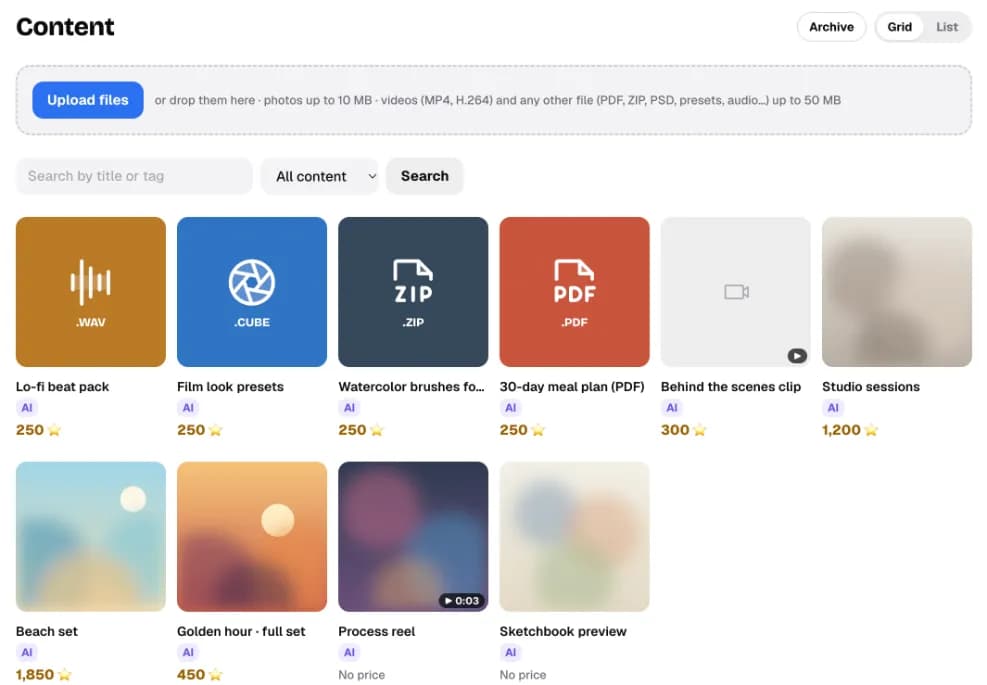
What you’ll seeEach file gets a tile with its type, price and an AI tag if the AI may offer it.
If something’s wrongA file is too big: on the web, photos can be up to 10 MB, videos (MP4, H.264) and other files up to 50 MB. Send bigger files, up to 2 GB, to your bot in Telegram: how to send large files.
Step 2: Set a price and what the AI may do
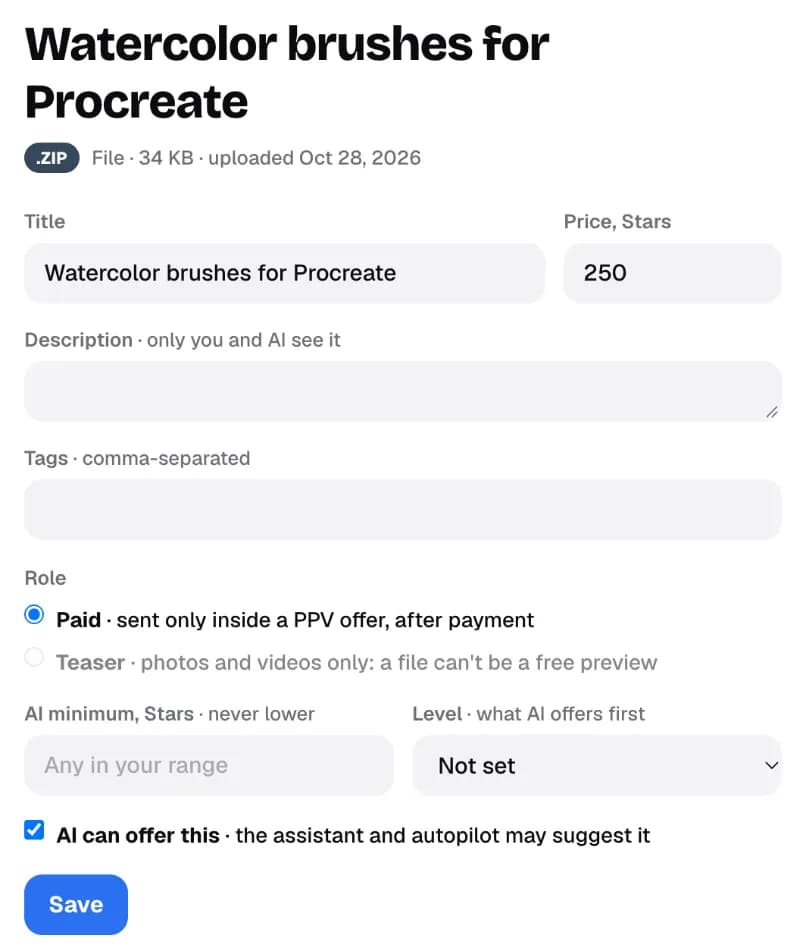
- Price, Stars: the default price for this file.
- Description: only you and the AI see it. The AI uses it to answer questions about the file.
- Role: Paid is sent only after payment. Teaser is a free preview (photos and videos only).
- AI minimum and Level: the lowest price the AI may use, and whether it offers this to new buyers first or after a purchase.
- AI can offer this: leave it off for anything the AI shouldn’t sell.
What you’ll seeThe price shows on the tile. You can still change it per offer when you send it.
Step 3: Send a paid offer in a chat
- In the chat’s side panel, tap Create PPV and pick up to 10 files.
- Set the price (1 to 25,000 Stars) and a caption. The quick prices come from your library; you also see what this buyer paid before.
- Tap Preview as buyer, check it, then Send.
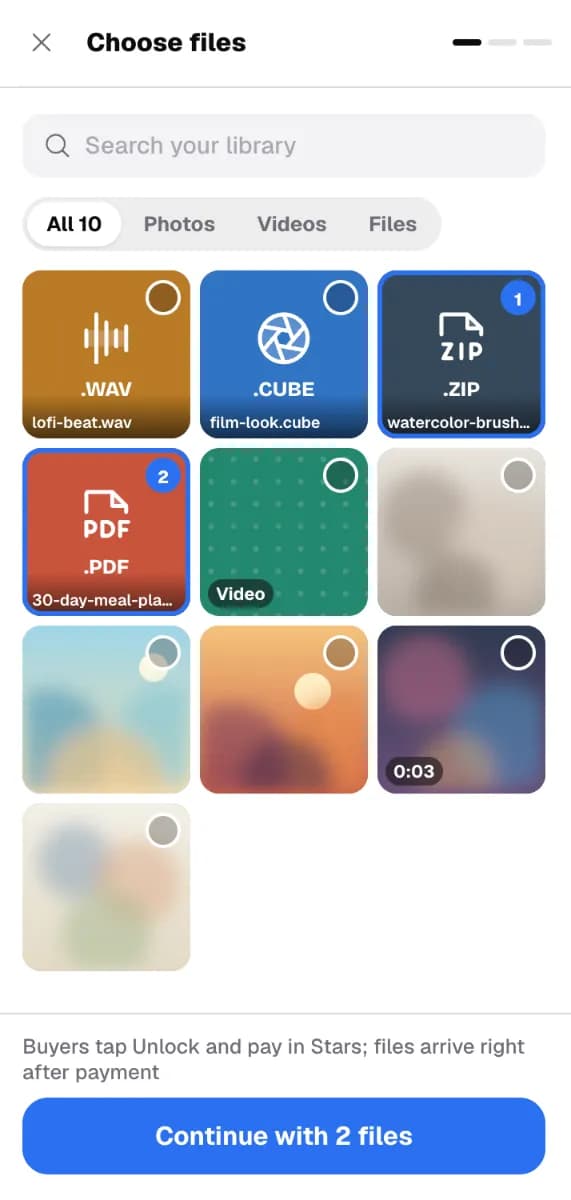
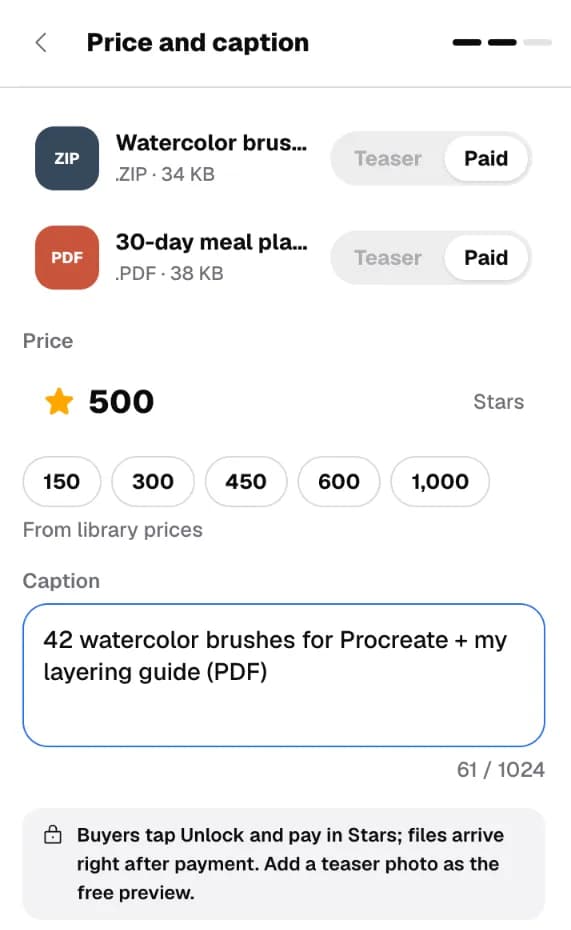
What you’ll seeThe offer appears in the chat with Awaiting payment. When the buyer pays, it turns to paid and the files arrive in the chat.
If something’s wrong“You can’t send to this chat right now”: the 24-hour reply window is closed or the bot is disconnected. See Fix common problems.
What the buyer sees
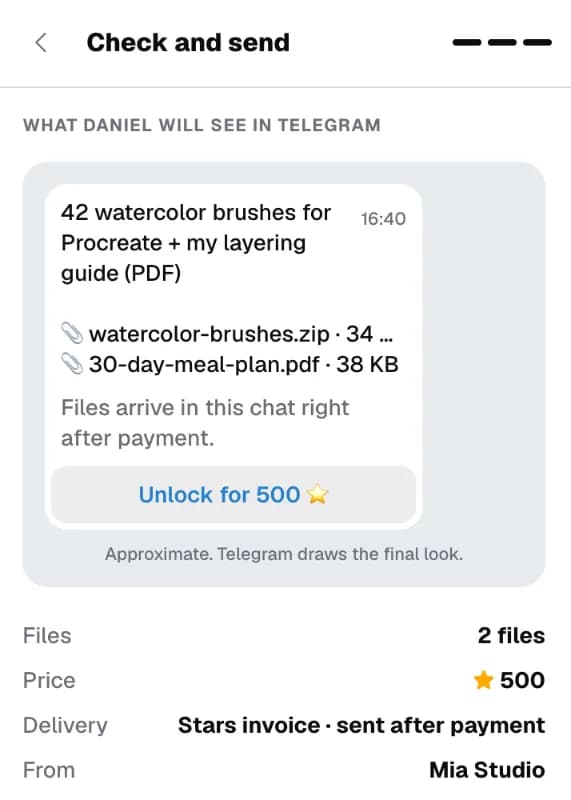
- Files (PDF, ZIP, audio…): your caption, the file names and an Unlock button. After payment the files arrive as a new message.
- Photos and videos: a blurred preview with the price. It unlocks in place when they pay.
- Buyers pay with Stars inside Telegram. If they don’t have enough, Telegram offers to buy them at checkout.
- Telegram draws the final look, so it can differ slightly from the preview.
After you send
- Changed your mind? Use Close offer in the side panel. A paid offer can only be refunded.
- The buyer panel marks files a buyer already owns, so you don’t sell the same file twice.
- Every sale shows in Sales. See Sales and getting paid.
Step by step, with the video walkthrough: How to sell digital products on Telegram.